
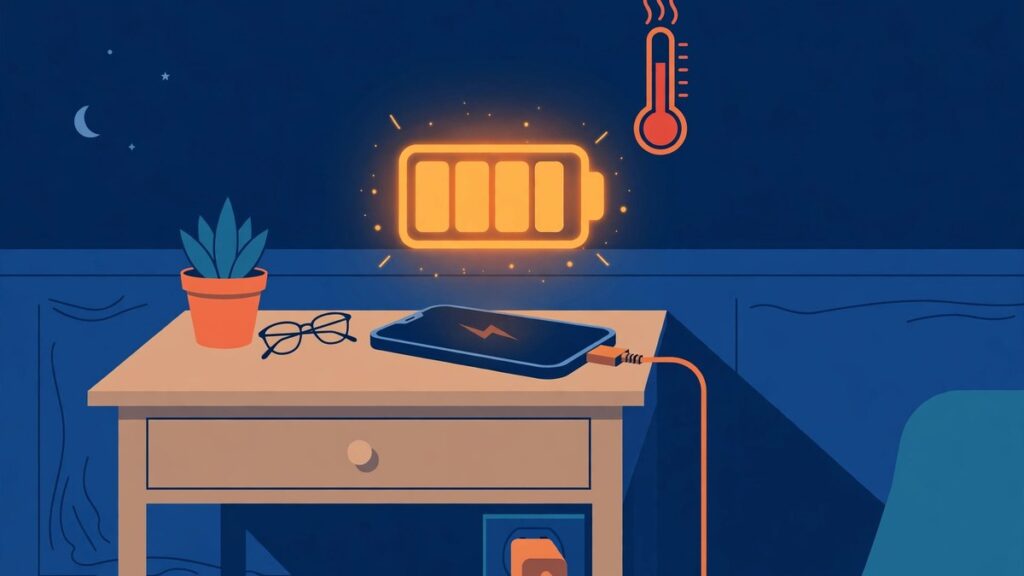
According to Engadget, the speed at which a phone battery ages depends on how it is charged and how hot it gets, and five common habits speed up that wear. The good news is that iPhones, Pixel phones and Samsung Galaxy phones all now include built-in tools that limit charging and slow the damage.
The phone battery life mistakes start with charging to 100 percent and leaving it there: a battery wears faster when it sits at full charge for long stretches. Engadget reported that iPhones have Optimized Battery Charging, Pixel phones have Adaptive Charging and Samsung Galaxy phones have built-in battery protection, and AndroidScroll agreed that turning on the charge cap is the single most effective fix.
Running the battery down to zero is another mistake, and charging somewhere too warm is a third: Apple says iPhones are designed to work between 0 and 35 degrees Celsius, and heat shortens battery life. Top5-Search, writing on 28 November 2026, added that cheap uncertified chargers, wireless charging for every charge and ignoring the phone's own battery health tools all add to the wear.
Why it matters
The science underneath all five mistakes is the same, and it is worth understanding because it explains why the fixes work. A phone battery is a lithium-ion cell, and it degrades through chemical reactions that speed up at high voltage and high temperature. Sitting at 100 percent means sitting at the highest voltage the cell ever reaches, and every hour spent there adds stress. Draining to zero forces the cell to its lowest voltage, which stresses the chemistry from the other end. Heat accelerates both processes. The ideal life for a lithium-ion battery is the middle of the range, roughly 20 to 80 percent, kept cool, and every one of the five mistakes pushes the battery towards one of the extremes.
The 100 percent habit is the most counterintuitive, because it feels like good housekeeping. A full battery seems like the responsible choice before a long day, and for years the advice was to charge overnight so the phone was ready in the morning. The problem is the hours spent pinned at full charge while you sleep: the phone reaches 100 percent quickly and then sits there, trickle-charging to stay full, for the rest of the night. Modern phones handle this better than old ones, with optimised charging that delays the final part of the charge until just before you wake, but the feature only helps if it is switched on. On iPhone 15 and later, the setting is under Battery and Charging, where you can pick a limit from 80 to 100 percent; on Pixel phones it is under Battery health and Charging optimization; on Galaxy phones running One UI 6.1 or later it is under Battery protection, where Maximum stops at 80 percent.
Draining the battery to zero is a habit left over from an older technology. Nickel-based batteries had a memory effect that rewarded full discharge, and a generation of users learned to run the phone flat before charging. Lithium-ion batteries have no memory effect, and the opposite is true: you can charge whenever you like, and topping up is kinder than waiting for empty. The real danger is not a single deep discharge but a pattern of them, and the worst case is a phone left dead in a drawer for months, which can stop holding charge altogether. Engadget's advice for a stored phone is to charge it to about 50 percent, switch it off and top it back up to around 50 percent after six months.
Heat is the factor people underestimate most, because it feels separate from charging. Apple says iPhones are designed to function between 0 and 35 degrees Celsius, and very hot conditions can shorten the battery's life permanently. The common heat traps are ordinary: a phone left in a parked car on a hot day, a phone charging under a pillow or a blanket, a phone in a thick case while fast-charging. Modern phones defend themselves by slowing or pausing charging when they get too hot, and Pixel phones limit charging to about 70 to 80 percent after hours of charging in high heat, but those are emergency measures, not a substitute for keeping the phone cool. Charging on a hard, flat, shaded surface, and taking the case off if the phone runs hot, are small habits with real effects.
Using the phone heavily while it charges combines the two sources of heat at once. Gaming, video recording, navigation and HD streaming all warm the processor, and charging warms the battery, so doing both together pushes the temperature higher than either would alone. AndroidScroll put it plainly: keep gaming off the cable. The same logic applies to fast charging, which Top5-Search flagged as a mistake when used for every charge: higher currents mean more heat, and while phones are designed to accept fast charging safely, using maximum speed every time adds long-term wear. Slow charging overnight, or whenever there is no rush, is gentler on the cell.
The charger itself is the mistake people think about least and should think about most. Cheap, unbranded chargers skip the safety components that certified chargers include, and a badly built charger can damage the battery or start a fire; Samsung specifically warns against non-approved chargers. The safe rule is to use the charger from the box or a certified one from a brand you can name, and to replace cables that show wear. Wireless charging belongs in the same conversation: it is convenient but less efficient and generates more heat than wired charging, so using it for every charge adds warmth the battery does not need. None of these habits will kill a battery in a week, but repeated daily over two years they are the difference between a phone that still lasts the day and one that needs replacing.
What to watch next
Watch your battery health reading over the next few months after changing these habits. On iPhone it sits under Battery and Battery Health, and on Pixel and Galaxy phones under the battery settings; a slowing decline in maximum capacity is the sign the changes are working.
Watch also for the next generation of battery care features. Phone makers are adding smarter charge limits and heat management with each software update, and the settings that are optional today may become the default tomorrow.
Frequently asked questions
Is it bad to charge my phone to 100 percent?
Charging to 100 percent occasionally is fine, but leaving the phone sitting at full charge for hours every day wears the battery faster. Use the 80 percent charge limit in your phone’s battery settings for daily use, and save a full charge for long days out.
Should I let my phone battery drain to zero before charging?
No. Modern lithium-ion batteries prefer partial charges, and regularly draining to zero stresses the cells. Plug in before the battery drops below about 20 percent, and charge whenever it is convenient.
Does heat damage a phone battery?
Yes, heat is one of the fastest ways to age a battery. Apple says iPhones are designed for 0 to 35 degrees Celsius. Avoid charging in a hot car or under a pillow, charge on a hard flat surface, and take the case off if the phone gets hot.
Are cheap chargers bad for my phone battery?
Cheap uncertified chargers can damage the battery or even start a fire, because they skip safety components. Use the charger from the box or a certified charger from a reputable brand, and replace frayed cables.
Is overnight charging bad for my phone?
Overnight charging is much less of a problem than it used to be, because modern phones delay the final part of the charge. It is still better to use optimised or adaptive charging, or a charge limit of 80 percent, so the phone does not sit at full charge all night.